How to Set Up a Google Account
These instructions will help partners set up a Google Account for their work email. If the partner cannot set up a Google Account due to IT restrictions, they will need to work with the Data Steward to set up an alternative process for sharing data.
-
Open Google.com and click the Sign In button at the top right of your screen. If you are already signed in, log out first.
-
Click the Use another account link to begin setting up a new account.
-
Click the Create account link.
-
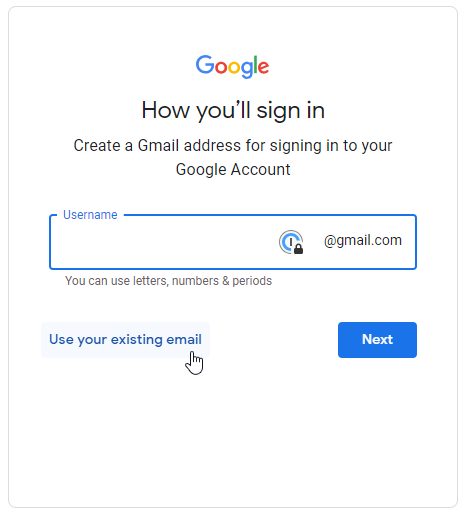
Fill in your first and last name, birthdate and any other fields until you arrive at the username screen. The screen may look like this:
-
Under the "Username" box is a link that says "Use your existing email" which, when clicked, will allow you to use your work-issued email address. Click the link.
-
Enter your work-issued email address in the box. Make sure you have appropriate permissions from your workplace before continuing.
-
Click Next and finish filling the rest of the form.